
How to Redeem Speed Snow Keyboard Escape Codes
Find the Code button, paste exactly, and fix the errors that eat a one-time reward.
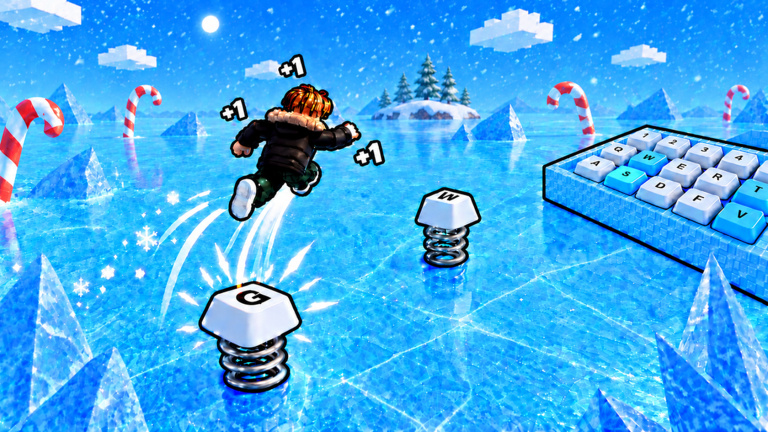
Redeeming a Speed Snow Keyboard Escape code takes less than a minute, but the window on a live string can be shorter than that. This page is the muscle memory: spawn, open Codes, paste, confirm. Pair it with the codes list so you know what to paste, and with free rewards for the gifts that do not need a string at all.
Step-by-step on PC and console
- Open Roblox and launch Speed Snow Keyboard Escape. Wait until your avatar is standing on the icy keys, not still in the Roblox loading cloud.
- Look at the upper-left cluster of lobby buttons. Keyboard-escape lobbies put Code (sometimes labelled Gift or Twitter) in that stack, next to shop and settings.
- Click Code. A small field appears with a paste hint.
- Paste the string with Ctrl+V (or the console paste shortcut). Do not retype from memory if the code mixes letters and numbers.
- Press OK or Redeem. A toast should confirm Speed or tell you the code is invalid, expired, or already used.
If the button is missing, you may still be on a loading UI, or an event overlay is covering the HUD. Close the X25 event banner if one is up, then look again. The Code button is independent of Trails and Auras; you do not need a purchase to open it.
Step-by-step on mobile
Mobile players lose codes to fat-finger typos more than PC players do. Copy the string in your browser or notes app first. Launch the experience, tap the Code button, tap the field, then paste from the OS clipboard. Avoid typing a code like BYP4SS1 by hand — that example is from a different game anyway, but the point stands: mixed case and digits are easy to miss on a phone keyboard. After you redeem, lock the phone orientation and start stepping so the flat Speed is not sitting idle. The controls guide explains mobile jump if the HUD also changed after an update.
Exact-match rules
Roblox codes are case-sensitive. Snow2026 and SNOW2026 are different strings. Spaces, extra punctuation, and a trailing newline from a Discord copy all fail. If a shout wraps the code in backticks, copy only the inner characters. If a group post uses a zero and a letter O, paste it; do not “correct” it. After a failed attempt, close the panel and reopen it — some lobbies cache the last error and look like they ignored the second paste.
Why a code fails
| Message or symptom | What it usually means | What to do |
|---|---|---|
| Invalid / doesn’t exist | Wrong game, typo, or a Candy Keyboard string | Confirm you are in the snow place, not Candy and Chocolate |
| Expired | Timed social code or old public string | Stop retrying; watch the group shout |
| Already redeemed | One-time per account | Move on to free rewards |
| Nothing happens | HUD overlay or delayed remote | Rejoin the server, then paste once |
| Speed did not move | You redeemed into a huge multiplier | Take steps; flat Speed is easy to miss on the counter |
Social-style codes in this genre often expire in ten to fifteen minutes. Generate or copy, then redeem immediately. Do not screenshot a code, go AFK on a treadmill, and paste it later.
When to redeem for the most Speed
Flat Speed is strongest when your multiplier is about to work, not when you are already maxed for the night. Practical windows:
- Right after you join, before you waste early steps on a stage you will fail.
- Right after any prestige or rebirth-style reset, if the lobby offers one, so the gift rebuilds your level.
- During the live X25 tag, because every extra step is worth more while the event multiplier is on.
It is weakest if you redeem, then stand still taking screenshots. The how to get Speed guide is the next click after a successful paste.
Codes versus group gifts
A code is a typed string. A group gift is a button that appears after you like the experience or join group 316320587. Players mix them up and think the Code box is “broken” when they were supposed to claim a chest. If the box rejects everything, you may simply have no public code. That is the current state on the codes hub. Claim the gifts anyway, then run the beginner route.
Safety notes
Never paste a “code” that is actually a loadstring. Real Speed Snow Keyboard Escape codes are short tokens, not Lua. If a stranger asks you to put loadstring(game:HttpGet(...))() into the Code box, they are steering you toward an executor workflow. That belongs on the scripts hub, with the account-risk warning, not in the redeem field. Do not share your Roblox password as a “code check.”
Once redeeming is muscle memory, you can ignore this page until the next shout. Keep the codes hub as the live table, and use this page only when the button, the error, or the platform changes.
Frequently Asked Questions
Quick answers for Speed Snow Keyboard Escape on Roblox.
Where is the Code button?
Upper-left lobby HUD after you spawn on the icy keys. Close event banners if it is covered.
Are codes case-sensitive?
Yes. Paste exactly. Spaces and a trailing newline from Discord will fail.
The code says invalid. Now what?
Confirm you are in Speed Snow Keyboard Escape, not Candy Keyboard Escape. Then check the codes hub — many public lists are for the other game.
Can I redeem on mobile?
Yes. Copy the string first, paste from the clipboard, and avoid typing mixed letters and digits by hand.