
Speed Snow Keyboard Escape Controls for Icy Keyboard Jumps
WASD, jump, camera, and how not to launch the G-key spring into the lake.
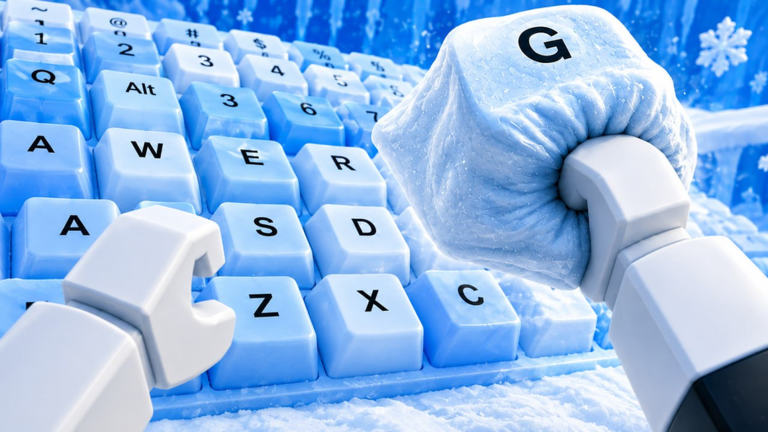
Speed Snow Keyboard Escape uses ordinary Roblox movement on an unforgiving floor. The keys are big, the ice is slippery-looking, and the springs in the official art will throw you a full island if you hold forward through the landing. This page is inputs only. For the loop, see how to play. For when to attempt a gap, see stages.
PC and console
| Action | Default |
|---|---|
| Move | WASD or left stick |
| Jump | Space or A / Cross |
| Camera | Right mouse drag or right stick |
| Interact / claim | E or the on-screen prompt |
| Open Codes / shop | Left HUD buttons, mouse click |
Shift-lock helps on springs because you can keep the camera behind the jump. If shift-lock makes you slide off a rounded keycap, turn it off for laps and on for launches. Scroll the camera out far enough to see the next island before you jump; the lake is easy to miss in first person.
Mobile
Use the dynamic thumbstick, not tap-to-move, on this map. Tap-to-move will path you off a key into water. Jump is the right-side button; do not overlay it with a custom GUI if you also run a script. Landscape mode gives you a wider view of candy-cane markers. If jump feels late, that is often high ping on a 20-player server, not a secret input. Rejoin a quieter server from the Roblox list, then try the same spring.
Disable jump assist in Roblox settings if it keeps auto-hopping you off the WASD cluster while you are trying to walk laps for Speed. You want jumps to be deliberate.
Springs (the G and W keys)
The gallery art shows letter keys sitting on coils. Those are launchers. Approach straight, not from a diagonal. Release forward a beat before you land if you are already fast, or you will sail past the next keyboard. If you are slow, hold forward through the spring or you will flop into the lake short. That sounds contradictory; it is Speed-dependent, which is why getting started told you not to touch springs at 30 Speed.
After a bad launch, look at the death: short means more Speed or more hold. Long means tap jump, then let go of W. Write that down for that specific spring. Each coil is a different strength. Treating them as identical is a beginner mistake.
Ice, edges, and collision
Keycaps have rounded corners. Hugging an edge at high Speed is how you slip. Cut inside on letter keys. Other avatars are moving hitboxes. If someone plants themselves on your spring, wait. Body-blocking a launch is cheaper than drowning. The description already said one wrong step returns you to the start of the route. Believe it.
Camera habits that save runs
- Point the camera at the landing key, not at your Trail particles.
- On mobile, pinch out before a chain of islands.
- If the polar-bear mascot or a giant candy cane is filling the frame, you are too zoomed in for a jump.
- After an X25 session your Speed may be high enough that the camera lag feels worse. Slow the stick before the lip of a key.
Accessibility and performance
Drop graphics if the ice bloom is hiding the next key. Trails still multiply Speed if particles are off; confirm with the counter, not the VFX, as noted on the Trails page. There is no official colorblind mode listed. If a key letter is hard to read, use the shape of the island, not the letter. The G-key spring is the cube on a coil, not the glyph.
What not to bind
Do not bind jump to a mouse side button you hit while camera-dragging. Do not run a keyboard macro that mashes space; you will bounce off the starting cluster into water and think the game is broken. Macros are also how people accidentally mix “movement” with auto farm. Keep vanilla binds until you can clear two islands by hand.
Once the inputs are boring, you are ready to treat controls as solved and spend attention on Speed and routes. Come back to this page when an update changes jump height — we will note it on the updates hub if the ice physics actually move.
Frequently Asked Questions
Quick answers for Speed Snow Keyboard Escape on Roblox.
What are the default controls?
WASD or stick to move, space or the jump button to hop, mouse or right stick for camera. Codes and shop sit on the left HUD.
Why do I overshoot springs?
Your Speed is high and you are holding forward through the landing. Release W, then steer after you peak.
Tap-to-move on mobile?
Avoid it. The pathfinder walks you off keys into the lake. Use the thumbstick.
Does low graphics remove my Trail bonus?
No. The multiplier is on the stat, not the particles. Check the Speed counter.